How We Cut AI Operating Costs Without Sacrificing Capability
There’s a quiet realization hitting a lot of teams experimenting with agentic AI systems.
The tech works.
The workflows are powerful.
And the cloud bills can get stupidly high, stupidly fast.
The workflows are powerful.
And the cloud bills can get stupidly high, stupidly fast.
OpenClaw is a perfect example. It’s flexible, agentic, and extensible. You can wire it up to Claude, GPT, Grok, local models, tools, skills, memory, search, the whole thing. But if you run everything through a top-tier cloud model, you are paying premium prices for tasks that frankly do not need premium intelligence.
We recently went deep on this internally, and the takeaway was clear.
You don’t need to choose between quality and cost.
You need architecture.
You need architecture.
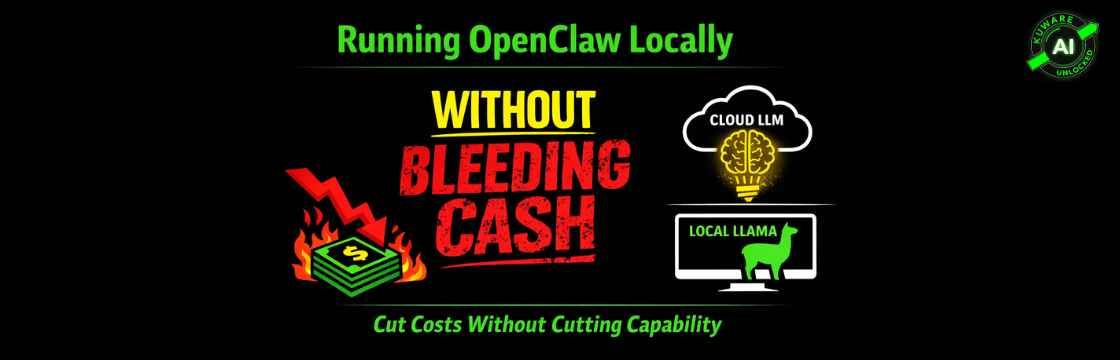
Let me walk you through how we’re thinking about running OpenClaw locally, when to use cloud models, and where most people accidentally waste money.
First, Clearing Up a Common Misunderstanding
Switching LLMs in OpenClaw is not a code change.
It’s a configuration change.
That’s important, because it means you can experiment aggressively without touching core logic. In OpenClaw, the main inference model is defined in the config file, typically at:
~/.openclaw/openclaw.json
If you want to change models, you update the agent model reference. That’s it.
You can point OpenClaw at Claude, OpenAI, Grok, or a fully local endpoint. You can even do this through the UI if you prefer. Settings, config, pick a provider, add credentials, restart.
No recompiling. No rebuilding. No heroics.
This flexibility is the foundation that makes cost optimization possible.
Running Llama Locally the Right Way
For local inference, Llama is the obvious workhorse. Solid reasoning, improving fast, and no per-token tax once it’s running.
There are multiple ways to serve Llama locally. Ollama, LM Studio, vLLM. We’ve been using Jan, and honestly, it’s underrated.
http://127.0.0.1:1337/v1
Then you point OpenClaw at it in the config. No real API key needed.
Once that’s set, OpenClaw treats your local Llama exactly like a cloud model, except it’s offline, private, and free to run.
Model Choice That Actually Makes Sense
We tested Llama 3.2 8B, quantized to Q4 or Q5 in GGUF format.
On Apple Silicon, especially something like a Mac Studio with 64GB unified memory, it’s frankly ridiculous how well this runs.
Sub-second responses.
No swapping.
No GPU memory gymnastics.
No swapping.
No GPU memory gymnastics.
If you’re on Apple hardware, make sure Jan is using the MLX backend. That unlocks the real performance gains.
This setup is more than enough for summaries, tool orchestration, light reasoning, classification, and routine agent tasks.
And that leads to the real insight.
Not All Agent Work Deserves a $20 Model
Most people wire OpenClaw like this:
One agent.
One model.
Everything goes through it.
One model.
Everything goes through it.
That’s the fastest way to get results. It’s also the fastest way to rack up a bill.
The smarter pattern is to split responsibilities.
Use a premium cloud model only where it actually matters.
In OpenClaw, this usually means a principal agent that does heavy reasoning, planning, and decision making. This is where Claude Opus or a top GPT model earns its keep.
Then you introduce specialist agents.
Local Llama agents handle simple execution. File lookups. Status checks. Summaries. Light transformations. Anything that does not require deep multi-step reasoning.
OpenClaw does not yet support strict per-skill model assignment inside a single agent. But multi-agent setups get you 90 percent of the benefit with today’s tooling.
The principal agent decides what needs intelligence.
The specialists do the work cheaply.
The specialists do the work cheaply.
The Heartbeat Trap Most People Miss
Here’s a sneaky one.
OpenClaw sends periodic heartbeat messages to keep sessions alive and check task status. These are tiny, low-value messages. Basically “still running” pings.
If those heartbeats go through a premium cloud model, you are literally paying top dollar for a pulse check.
People who split agents route heartbeats and housekeeping tasks to a local model. Same behavior. Zero cost.
This single change can dramatically reduce token burn, especially in long-running sessions.
It’s not glamorous. But it’s one of those things that separates a demo setup from a production-ready one.
Tracking Costs Without Going Crazy
OpenClaw actually does a decent job with usage tracking, if you know where to look.
You can inspect usage and cost during a session. You can see token counts, provider breakdowns, and estimated spend. When you mix cloud and local models, it becomes very obvious where the money is going.
Local models show zero cost. Cloud models stand out immediately.
What OpenClaw does not yet do well is per-skill cost breakdowns. That’s still evolving. Some teams bolt on external tools or log parsers for deeper analytics, but for most use cases, provider-level visibility is enough to spot waste.
And that’s usually the goal.
Find the leaks.
Plug them.
Find the leaks.
Plug them.
The Big Picture
Running OpenClaw locally is not about rejecting cloud models.
It’s about respecting them.
Use premium intelligence where it moves the needle.
Use local models everywhere else.
Use local models everywhere else.
This hybrid approach gives you privacy, predictability, and cost control without turning your system dumb.
Once you set it up, it feels obvious. But most people never pause long enough to rethink their architecture. They just keep paying the bill.
If you’re serious about agentic systems in production, this split is not optional anymore. It’s table stakes.
And yes, Jan is pronounced like the month. Or not. The model doesn’t care.
