
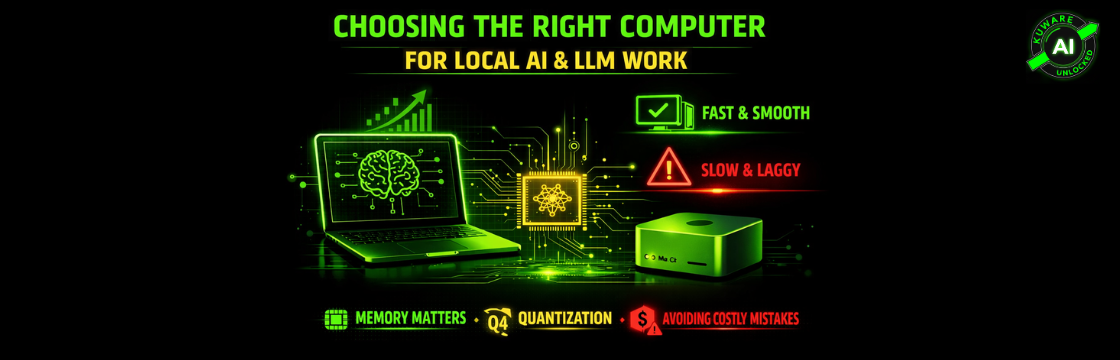
A Practical, No-Hype Guide From Real Usage
Running large language models locally has moved from hobbyist territory into serious, everyday work for builders, founders, and technical leaders.
The question I get asked most often lately is simple.
What computer should I buy to run LLMs locally?
After spending months testing, comparing, and feeling real friction with the wrong setups, here is a grounded way to think about it. This is not theoretical. This is based on daily use.
The Core Problem Most People Miss
Local LLM performance is not about raw CPU speed or benchmark scores.
It is about:
- How much memory the model can access
- How fast that memory is
- Whether the system avoids constant data movement bottlenecks
LLMs are memory-bandwidth bound far more than they are compute-bound.
Once you understand that, the choices become much clearer.
This reality becomes much clearer when you look at what actually happens when you try to build a portable local AI system on real business hardware.
What Actually Lives in Memory When a Model Runs
When people hear “memory,” they usually think in vague terms. More RAM equals better. Faster chip equals better.
That intuition breaks fast with local AI.
When you load a model, memory fills up with several things at once:
- The model weights. This is the actual intelligence. Billions of parameters sitting in memory.
- The KV cache. This is short-term memory for the conversation. Longer context means more memory.
- Activation space. Temporary working memory while the model is thinking.
- Runtime overhead. Drivers, frameworks, and system glue you never see.
If it fits, everything feels smooth. Tokens stream. Latency stays predictable. The system feels calm.
If it does not fit, the system spills into slower memory. That is the moment people describe perfectly without knowing why.
“It technically runs, but it feels unusable.”
That is not a CPU problem. That is not a software problem. That is a memory spill problem.
Once you see this, hardware choices stop being confusing.
You stop chasing cores and start asking one real question.
Where does the model actually live while it is thinking?
If You Want a Portable Local AI Machine
Recommended MacBook Pro Configuration
If portability matters and you want one machine to do everything, a MacBook Pro is the cleanest option today.
What to buy
- MacBook Pro with Max chip
- 64 GB unified memory minimum
- 1 TB SSD or more
If budget allows and you know you will push larger models:
- 128 GB unified memory on higher-end Max configurations
Why this works
- Unified memory removes the VRAM wall
- The GPU can directly access model weights
- Metal acceleration makes inference smooth and predictable
- Battery life and thermals are surprisingly good for this class of work
What this is best for
- Running 7B and 13B models comfortably
- Experimenting with 30B-class quantized models
- Development, writing, research, and agent workflows
- One-machine portability without compromises
What to avoid
- 16 GB configurations. You will outgrow them fast.
- Prioritizing the newest chip over memory size
For local AI, memory beats generation every time.
Why Quantization Is the Reason Local AI Even Works
There is one concept that quietly makes all of this possible.
Quantization.
Quantization is simply reducing numeric precision so models take up less space. That is it. No magic. No tricks.
Think RAW photos versus JPEG. Same image. Slight loss of detail. Massive size reduction.
Without quantization, running serious models locally would still be a hobby for people with datacenter budgets.
With it, models that once required absurd hardware suddenly fit on a desk.
From everything I have tested, and from watching others test at scale, there is a clear default that almost nobody regrets.
Q4_K_M.
It cuts memory usage dramatically while preserving the parts of intelligence that actually matter. Reasoning. Instruction following. Coherence.
Go more aggressive than that and models start doing strange things. Forgetting context. Ignoring instructions. Making logic mistakes that cost more time than they save.
This is also why bigger is not automatically better.
A well-quantized 32B model will often beat a starving 70B model in real work. If the larger model cannot breathe, it does not matter how smart it is on paper.
If quantization still feels abstract, it helps to step back and understand why shrinking model precision makes local AI viable at all.
If You Already Have a Strong Laptop
My Actual Situation and Why I Chose a Different Path
I already run a ThinkPad with:
- A dedicated NVIDIA GPU
- Large system RAM
- More than enough power for daily work and demos
Why?
- Small GPU VRAM caused constant fallback to CPU
- Performance was bursty and unpredictable
- Fans spun up
- Long-context runs felt slow even when memory was available
The Best Desk-Bound Local AI Machine Right Now
My Personal Choice
I chose a Mac Studio as a dedicated local AI workstation.
Exact configuration
- Mac Studio with Max chip
- 64 GB unified memory
- 1 TB SSD
- Headless operation on local network
This box sits quietly on the network and does one job extremely well.
Why this setup works so well
- Unified memory behaves like massive GPU memory
- No PCIe bottlenecks
- Sustained performance with proper cooling
- Silent and always available
- Runs full macOS, not a server OS
It is a normal Mac.
You can install any macOS app.
You can SSH into it.
You can remote desktop into it from another machine.
You can SSH into it.
You can remote desktop into it from another machine.
No KVM required after initial setup.
This becomes a personal AI lab, not just a computer.
Why Bigger Models Fail Quietly When Memory Is Tight
One of the most misleading experiences in local AI looks like this.
You load a larger model. It runs. No errors. No crashes.
But everything feels off.
Responses are slow. Context feels fragile. Logic degrades over time.
That is the danger zone.
When a model is barely fitting, it does not fail loudly. It fails quietly. You lose more time second-guessing output than you would have saved by running a smaller model cleanly.
This is why unified memory systems feel so different in practice.
When the model, cache, and working memory can all live in the same fast pool, behavior becomes predictable. The system stays quiet. Performance stays flat instead of spiky.
That consistency matters more than peak tokens per second.
The Hybrid Model I Recommend
This is the architecture I now recommend to anyone serious about local AI.
Laptop
- Daily work
- Presentations and demos
- Travel
- General productivity
Mac Studio
- Local LLM inference
- RAG pipelines
- Agent experiments
- Long-context testing
- Always-on AI services
Cloud
- Multi-user access
- Production deployments
- Scaling
- Occasional training or fine-tuning
This keeps costs predictable and removes friction from daily thinking and experimentation.
Why This Beats Renting Cloud Hardware Full-Time
Cloud GPUs make sense for scale.
They do not make sense for constant personal use.
A Mac Studio pays for itself quickly when you:
- Use LLMs daily
- Want instant availability
- Care about privacy
- Hate setup and teardown overhead
- Want predictable costs
Final Recommendations Summary
If you want portability:
- MacBook Pro
- Max chip
- 64 GB unified memory minimum
If you already have a strong laptop:
- Keep it
- Add a Mac Studio with 64 GB unified memory for local AI
If you are choosing between specs:
- Prioritize memory
- Then thermals
- Then chip generation
Closing Thought
The biggest upgrade local AI users experience is not speed.
It is removing friction.
When your machine can load a model instantly, stream tokens smoothly, and stay quiet while doing it, you stop thinking about hardware and start thinking better.
That is ultimately the goal.
If you want help sizing a system based on the exact models you plan to run, that is a much better question than chasing specs.
Signal over noise.
