The year 2026 feels like a line in the sand for AI.
For the last few years, most businesses rented intelligence from the cloud. APIs everywhere. Latency baked in. Data leaving the building. That model is starting to crack.
With open weight models like Llama 4, DeepSeek R1, and Qwen 3 hitting real enterprise capability, the shift to local inference is no longer theoretical. It is practical. It is faster. And for many organizations, it is the only way to keep data, cost, and control aligned.
At Kuware, we spend a lot of time helping teams design local AI stacks that actually work. Not hobby setups. Not lab experiments. Real systems that run day after day. The biggest mistake we see is treating hardware choice like a brand preference.
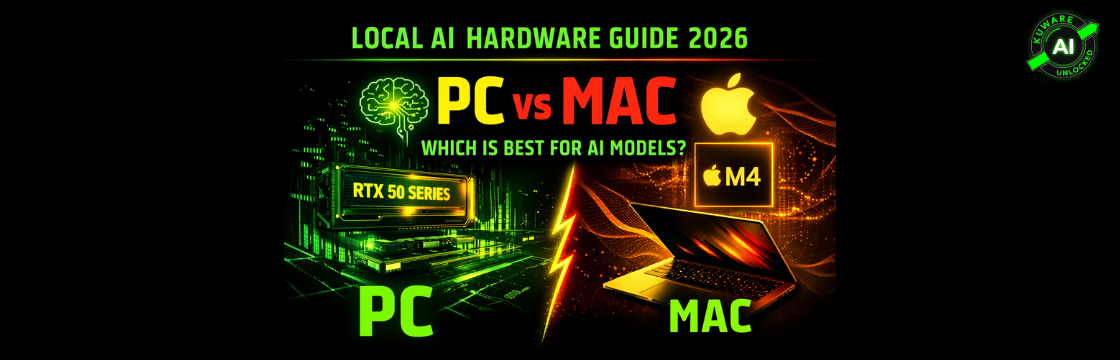
Mac or PC is not an aesthetic decision anymore. It is an architectural one.
The One Rule That Matters More Than Anything Else
If you take only one thing from this guide, take this.
VRAM determines what models you can run. Compute determines how fast they respond.
Speed does not matter if the model does not fit.
In local AI, VRAM is the hard wall you crash into. If your model weights and the KV cache cannot live entirely inside GPU memory, performance does not degrade a little. It collapses.
Think of VRAM like your work desk. The model is a massive technical manual. If it fits on the desk, you work fluidly. If it spills onto the floor, or worse into another room, everything slows to a crawl.
This is why cloud benchmarks mislead people. They hide memory constraints behind infinite infrastructure. Local AI does not forgive bad sizing decisions.
This is the same constraint most people first encounter when trying to run local LLMs on typical laptops without cloud fallback.
Why VRAM Is the Currency of Local AI
Unlike gaming, where VRAM holds textures and buffers, AI inference needs the entire model resident in high speed memory.
And then there is the KV cache.
Every token of context consumes memory. Jumping from an 8K context window to 32K can easily eat another 40 percent of your available VRAM. This is where many builds fail silently. The model loads, but the moment you push real context through it, everything falls apart.
Here is the rule of thumb we use internally when auditing builds:
Required VRAM in GB = (Model parameters in billions × bytes per parameter) × 1.2
That extra 20 percent is not optional. It covers KV cache and framework overhead.
A few practical examples:
- An 8B model at FP16 needs about 19 GB. A 24 GB GPU is the minimum sane choice.
- A 32B model quantized to Q4 still lands around 19 GB. Same story.
- A 70B model at FP16 needs enterprise hardware. No shortcuts.
- A 70B model at Q4 still needs roughly 42 GB. That means multi GPU or unified memory.
Quantization Changed Everything and Then Blackwell Changed It Again
Quantization is the reason local AI is viable at all.
Dropping weights from FP16 to Q4 cuts memory usage by roughly 75 percent with only a small quality hit. In practice, Q4_K_M is the current sweet spot. Most users would never notice the difference unless they are doing edge case reasoning or fine tuning.
But 2026 introduced a twist.
NVIDIA Blackwell brought native FP4 support. Not simulated. Not hacked. Native.
That matters because FP4 on Blackwell is dramatically faster than INT8 on previous generations. If you are running models optimized for FP4 on RTX 50 series cards, you are in a different performance class entirely.
This is one area where Apple simply does not compete yet. Macs run quantized models well. They do not run native FP4 pipelines.
So the tradeoff becomes clear. Macs win on capacity. NVIDIA wins on raw throughput.
Once you grasp this, decoding what GGUF filenames actually tell you about model size and hardware requirements becomes far less mysterious.
Unified Memory vs Discrete VRAM Is the Real Divide
This is the part most discussions miss.
Apple Silicon uses unified memory. CPU and GPU pull from the same high bandwidth pool. An M4 Max with 128 GB of memory can realistically dedicate most of that to the GPU.
PCs use discrete memory. Your GPU has its own VRAM. Fast, yes. But physically capped.
The bandwidth difference is enormous. An RTX 5090 pushes around 1.8 TB per second. Even a high end M4 Max sits closer to 546 GB per second.
If the model fits entirely inside GPU VRAM, NVIDIA is roughly three times faster at token generation. No debate there.
If the model does not fit, unified memory starts looking very attractive.
The PC Path: When Speed Is the Priority
Blackwell based RTX 50 series cards are currently the kings of local AI speed.
But there is a reality check most people skip. PCIe lanes.
Consumer CPUs simply do not provide enough lanes for perfect multi GPU scaling. Dual GPUs often end up running at x8 instead of x16. Without NVLink, communication happens over PCIe. That caps scaling.
In practice:
- Dual RTX 5090s scale around 1.6x to 1.8x.
- Dual RTX 3090s with NVLink can hit close to 1.9x and pool VRAM.
The Mac Path: Quiet, Dense, and Surprisingly Capable
Apple Silicon surprised a lot of people.
Prompt processing is slower. Much slower. On long RAG prompts, NVIDIA can be ten times faster.
But token generation is competitive. Very competitive.
We routinely see Macs pushing 70 tokens per second on massive models because everything stays inside unified memory. No shuffling. No PCIe hops.
The real advantage is simplicity. A single MacBook Pro with 128 GB or more can run 70B and even 120B models that would otherwise require a multi GPU tower with a workstation class motherboard.
If you value silence, portability, and capacity over raw throughput, Macs punch well above their weight.
Recommended Build Profiles Based on Reality
Here is how we typically guide clients.
Entry Level Local AI
RTX 5070 Ti with 16 GB. This is the minimum we consider future proof. That extra memory over 12 GB cards matters more than people think.
RTX 5070 Ti with 16 GB. This is the minimum we consider future proof. That extra memory over 12 GB cards matters more than people think.
Professional Sweet Spot
Either an RTX 5090 for speed or an M4 Max with 128 GB for capacity. This is where most serious teams land.
Either an RTX 5090 for speed or an M4 Max with 128 GB for capacity. This is where most serious teams land.
Local AI Server
Dual RTX 5090s on a Threadripper Pro platform. Expensive, yes. But unmatched for sustained throughput on large models.
Dual RTX 5090s on a Threadripper Pro platform. Expensive, yes. But unmatched for sustained throughput on large models.
Portable Power
RTX 5090 mobile laptops. Expect about 70 percent of desktop performance. Still extremely useful for demos and field work.
RTX 5090 mobile laptops. Expect about 70 percent of desktop performance. Still extremely useful for demos and field work.
Budget Research Lab
Dual RTX 3090s with NVLink. Hard to beat for memory heavy workloads per dollar.
Dual RTX 3090s with NVLink. Hard to beat for memory heavy workloads per dollar.
Software Still Matters More Than People Admit
Hardware without the right stack is wasted money.
Ollama is the fastest way to get running. LM Studio is still the best GUI experience. llama.cpp remains the backbone of most serious local deployments and now supports experimental FP4 on Blackwell. vLLM is what we use when throughput actually matters.
On Windows, WSL is not optional. Treat it as part of the cost of entry.
So Which Path Should You Choose
Choose a PC if you need raw speed, fast prompt processing, CUDA based training, or maximum throughput on sub 32B models.
Choose a Mac if you need to run very large models on a single machine, value efficiency and silence, or want to avoid multi GPU complexity entirely.
There is no universally correct answer. There is only the right answer for your models.
Local AI is no longer a side project. In 2026, it is the foundation of autonomy. Choose hardware that fits your most ambitious model, not today’s demo, and the rest falls into place.
